Arcade WOW Jukebox: the jukebox for your arcade machine
Karaoke nights where every guest joins from their own phone. 243 internet radio stations. Spotify Connect, AirPlay and Bluetooth. Your own music from USB, YouTube for listening, and visualisers that move to the music on every song. On the arcade machine you already love, beside your games.
PRESS INSERT COIN FOR SOUND SCROLL FOR THE REST
LIVE ON THIS PAGE These bars run in your browser on a groove this page plays itself. Put a coin in, press P1 START and they wake up.
WHAT IT DOES
An arcade machine jukebox, and a karaoke party
The Arcade WOW Jukebox lives in your games menu as JUKEBOX. Pick it with the joystick and your ARCADE WOW arcade machine becomes a music player with a 24-inch screen and its own subwoofer. Your games and your menu stay exactly as they are.
VISUALISERS
KARAOKE
243 RADIO STATIONS
SPOTIFY CONNECT
AIRPLAY & BLUETOOTH
YOUTUBE, FOR LISTENING
YOUR MUSIC FROM USB
COLOUR THEMES & LOOKS
10-BAND EQ
THE FREE APP
THE LIGHT SHOW
Visualisers that play the music
SPECTRO flies your music past you as a ribbon of sound. The wormholes, JUMPGATE, MAELSTROM and THE WELL, pull you down a tunnel on the beat, and HORIZON spins the music into an accretion disc. Every Arcade WOW Jukebox visualiser is drawn from the music itself, not on a timer: the bass, the snare and the tempo move the picture, and when the music stops it goes still. On the cabinet the visualiser owns the bottom half of the screen on every source, and SHUFFLE changes the mode every 8 bars.



The picker below runs the same visualisers in your browser. Pick a mode; put a coin in and it draws live on this page's music.
NOW BRING THE PARTY HOME
Karaoke on your arcade machine
The Arcade WOW Jukebox brings more than 1,400 hand-picked karaoke songs to the big screen, with the words, the scores and the whole room joining in from their phones. Sing solo or as a duet, pass the house mic around, and when the night needs a winner, play GAME ON.
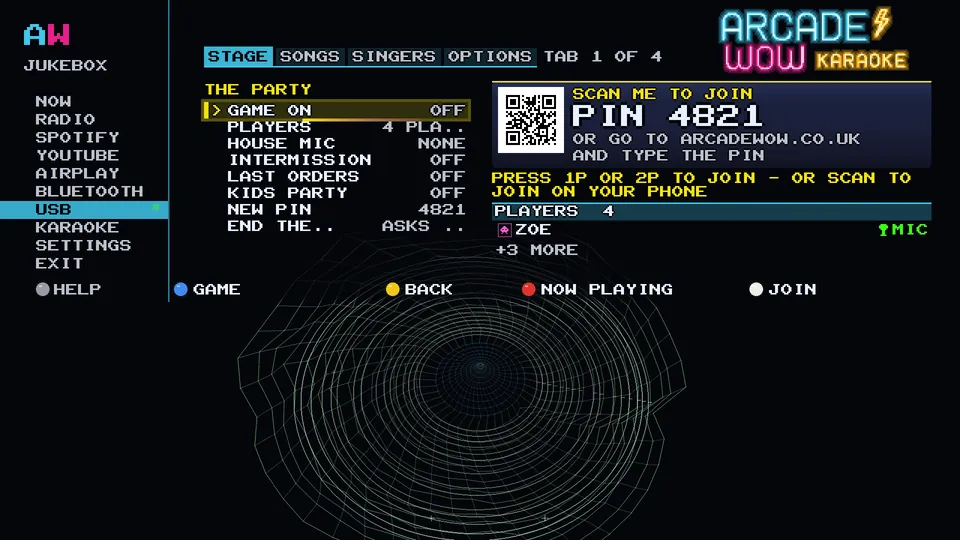
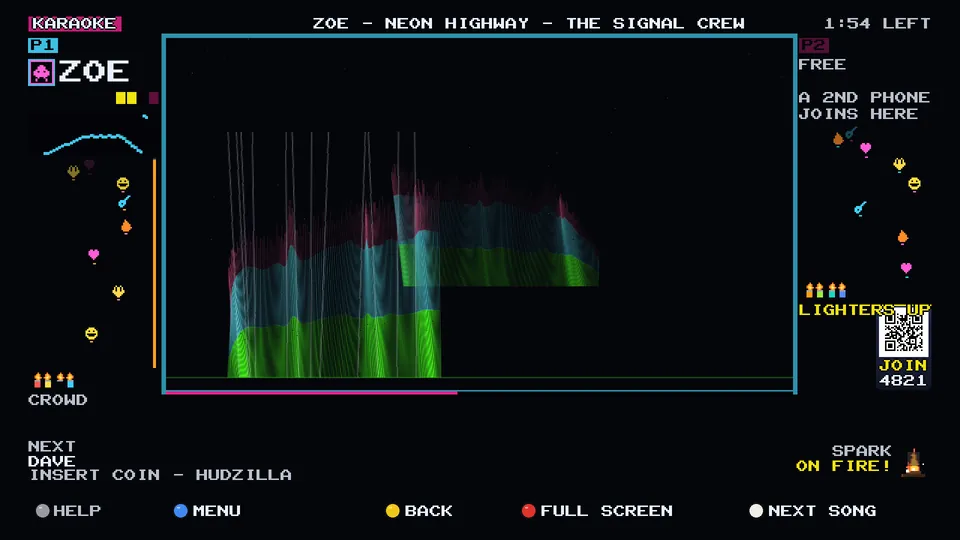
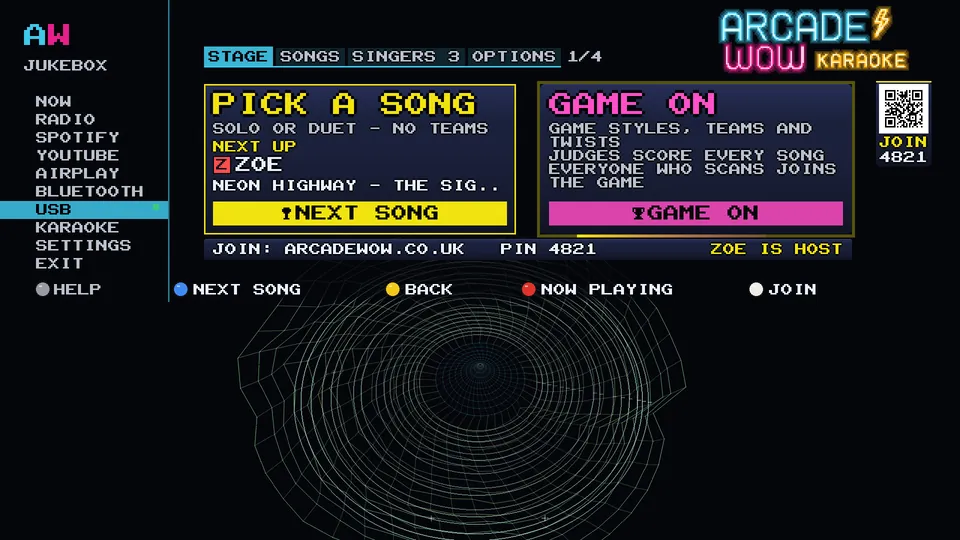
> GUESTS JOIN BY QR, NO APP
Start a party and a code appears on the TV. Guests scan it with their phone camera, type a name and they are in the queue. No app to install and nothing to sign up for; they just need to be on the same Wi-Fi as the jukebox.
From then on their phone is their part of the night: pick a song, see who is singing now and next, send cheers, hold up a lighter.
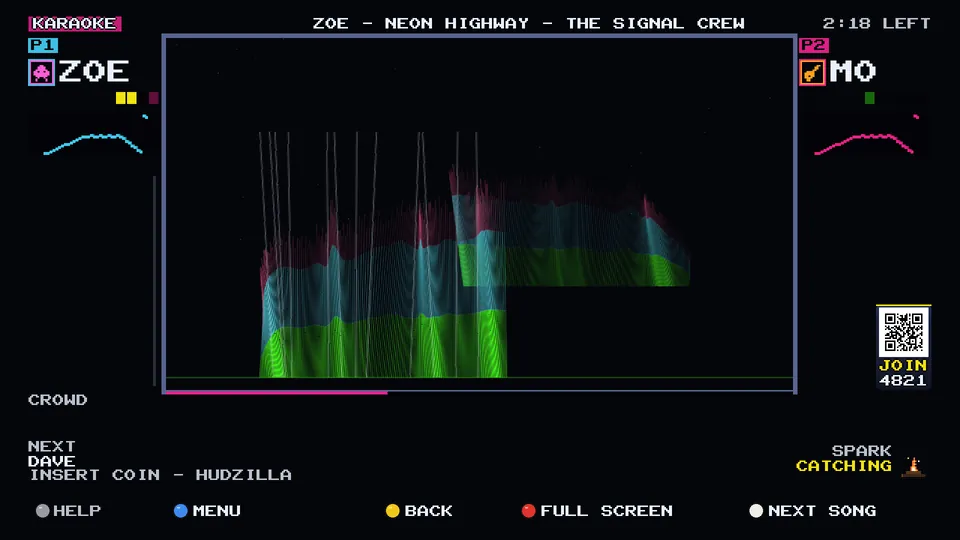
> DUETS AND THE HOUSE MIC
Sing alone or as a duet, side by side on the same screen. The house mic is the one mic for the whole room, passed around: tap the mic on any guest's phone and it takes over.
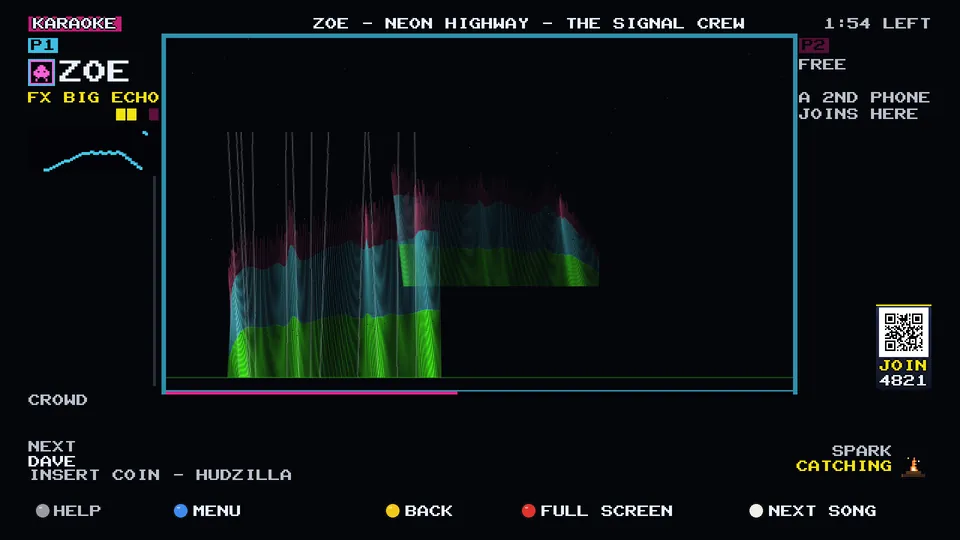
> NINE MIC EFFECTS
Nine mic effects, from a clean studio sound to a big echo, switched while you sing.
GAME ON: teams, judges and a winner
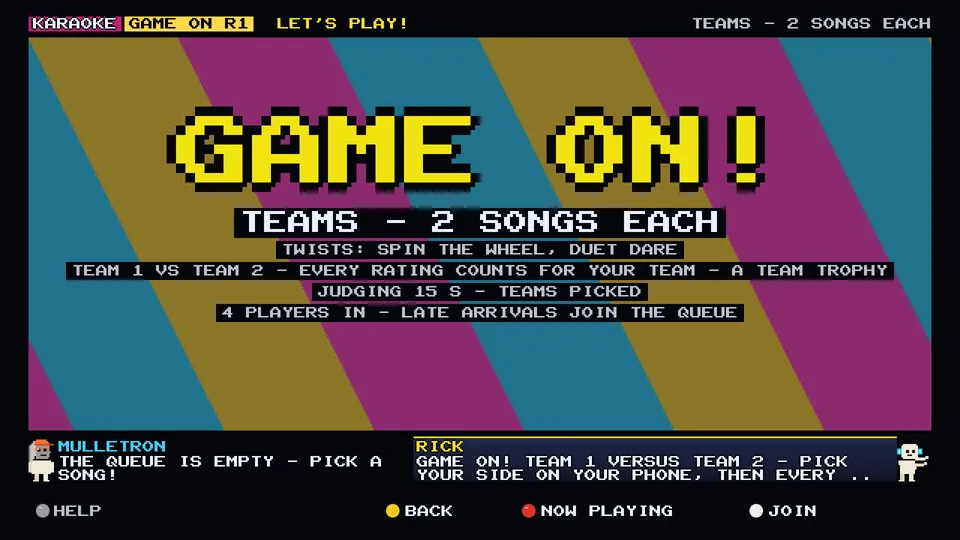
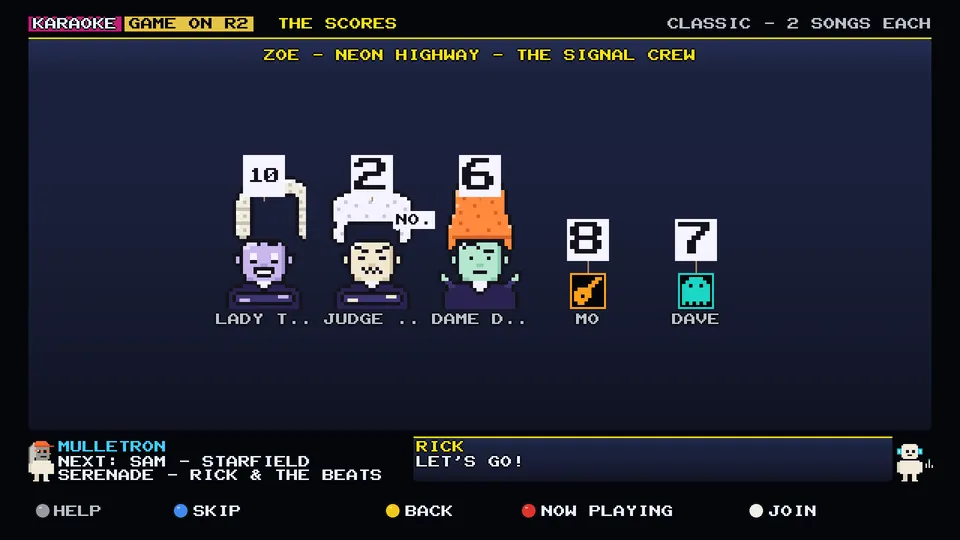
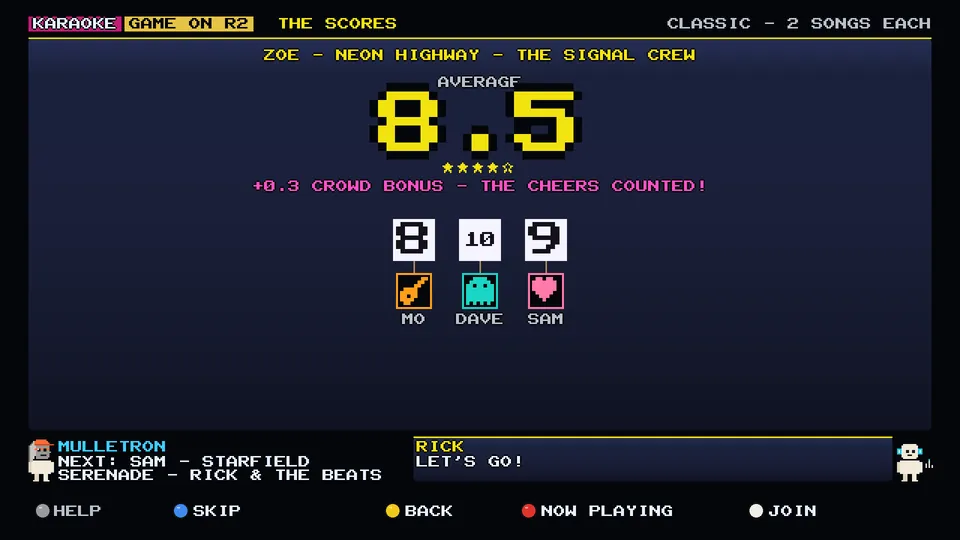
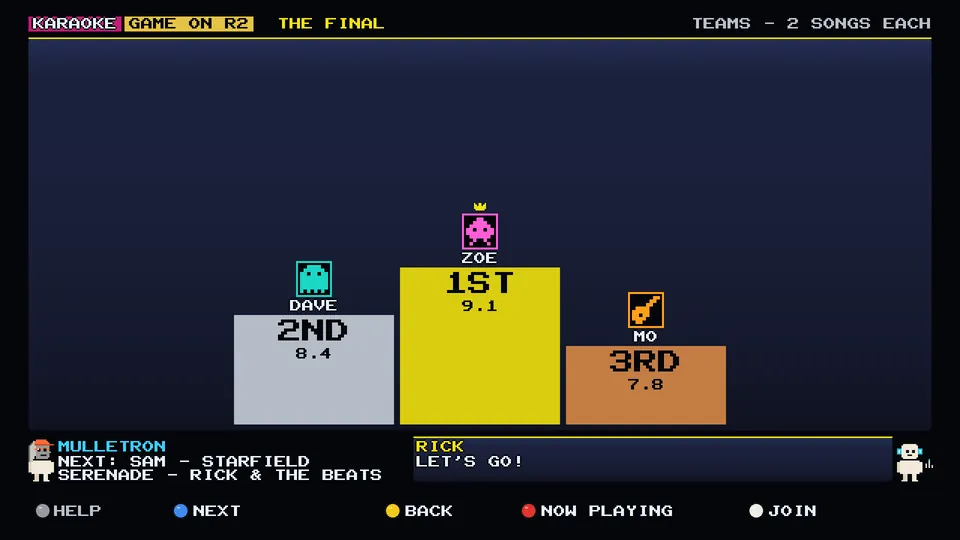
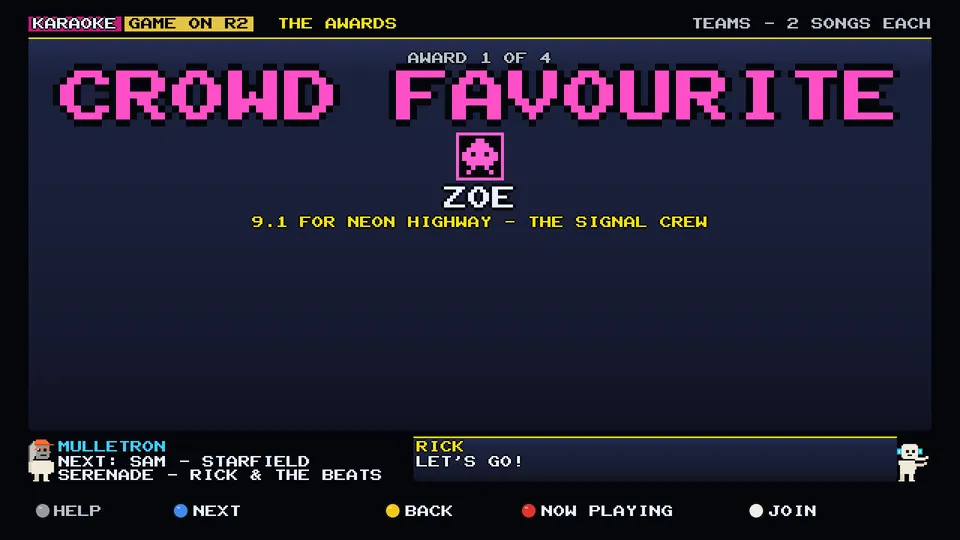
GAME ON turns karaoke into a party game. Split into teams, sing two songs each, and the room judges: everyone rates every song from 1 to 10 on their phone, and nobody rates themselves. Turn on CROWD BONUS, an optional rule, and the cheers count towards the score too.

> FAMILY MODE
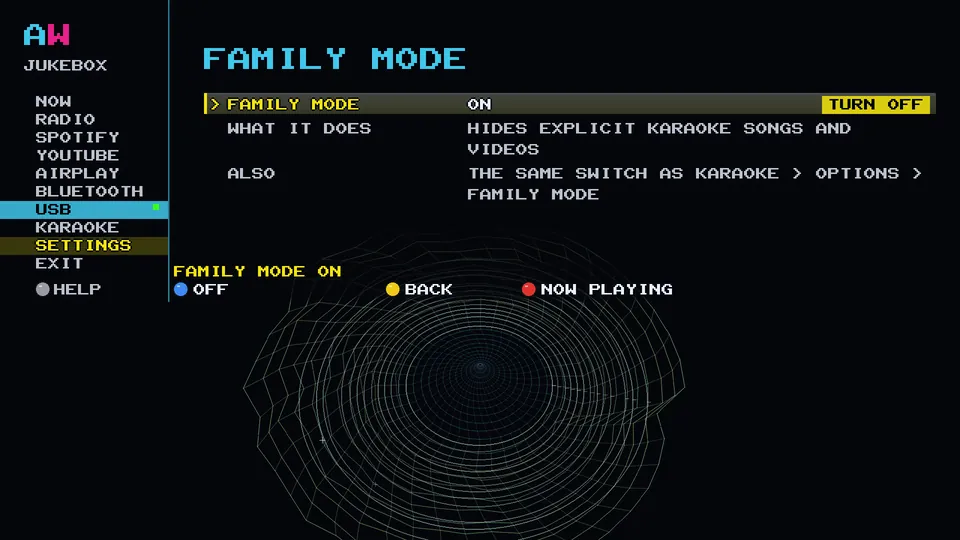
One switch hides explicit karaoke songs and videos, so the whole family can have a go.
PLAY IT FROM YOUR PHONE
Spotify, AirPlay and Bluetooth on your arcade machine
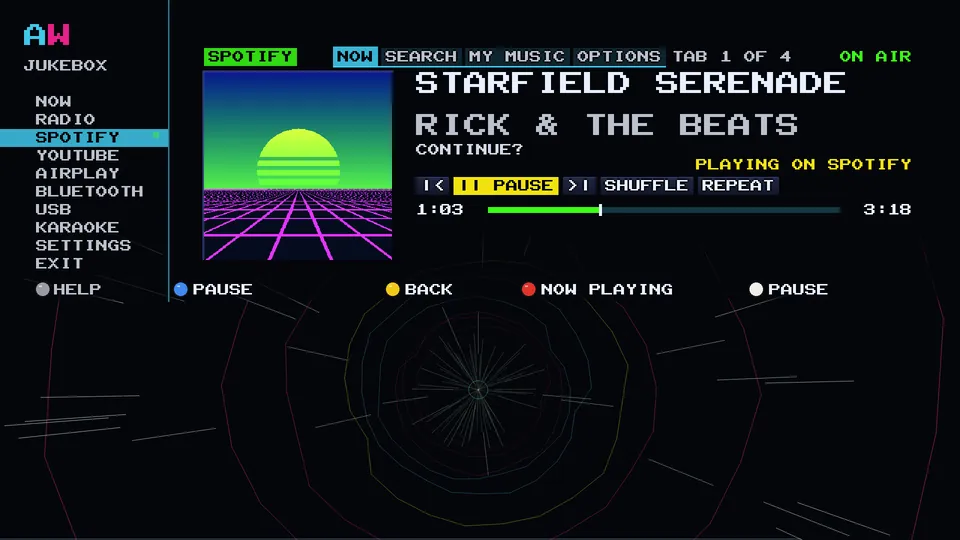
Whatever you are already listening to, send it to the Arcade WOW Jukebox. The song lands on the NOW screen with its title, artist and cover, and plays through the cabinet's speakers and subwoofer.
> SPOTIFY CONNECT
Your cabinet is a Spotify Connect speaker called AWOW Jukebox. Open Spotify on any phone, tap the speaker icon and pick AWOW Jukebox. Nobody signs in on the cabinet, and anyone on your Wi-Fi can take a turn.

> AIRPLAY
Pick AWOW Jukebox in the AirPlay menu on your iPhone, iPad or Mac and the cabinet plays it: title, artist, album and the cover on the cabinet screen, with a moving scrubber.
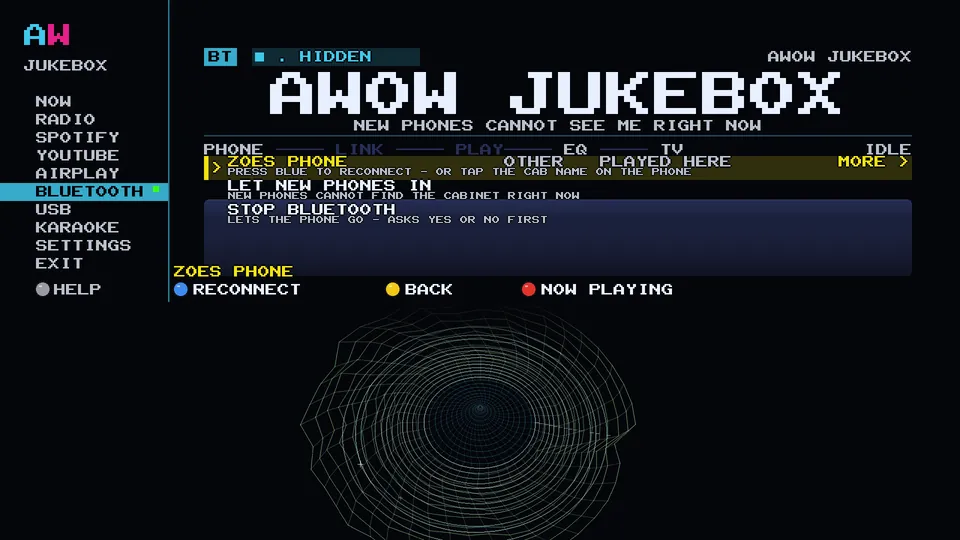
> BLUETOOTH
Bluetooth from any phone. The jukebox stays hidden until the owner opens a 60-second pairing window on the cabinet, so the neighbours cannot take over. Remembered phones reconnect with one press.
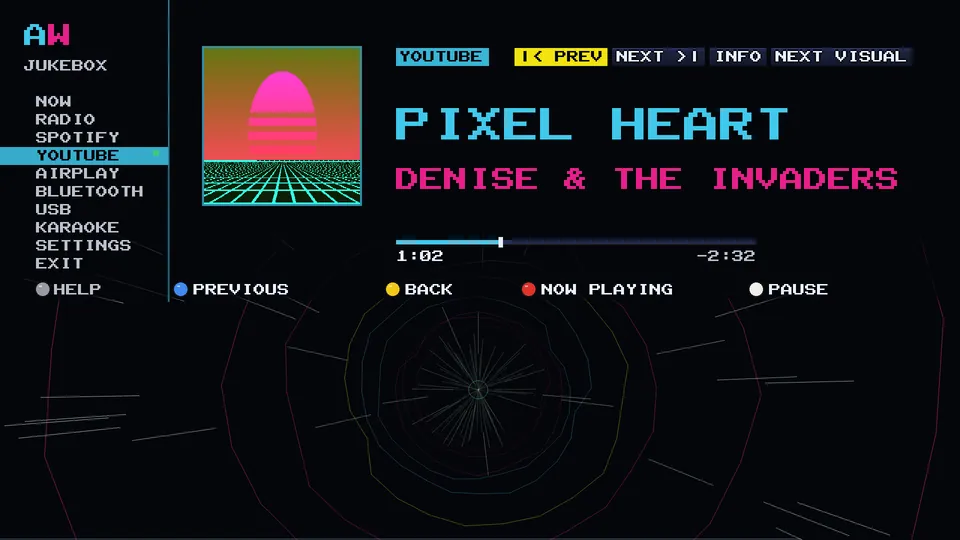
YouTube, for listening
Search with the joystick, no account needed, and the jukebox plays it like a record: the sleeve on the screen and the music through the cabinet. Browse Popular music when you do not know what you want yet.
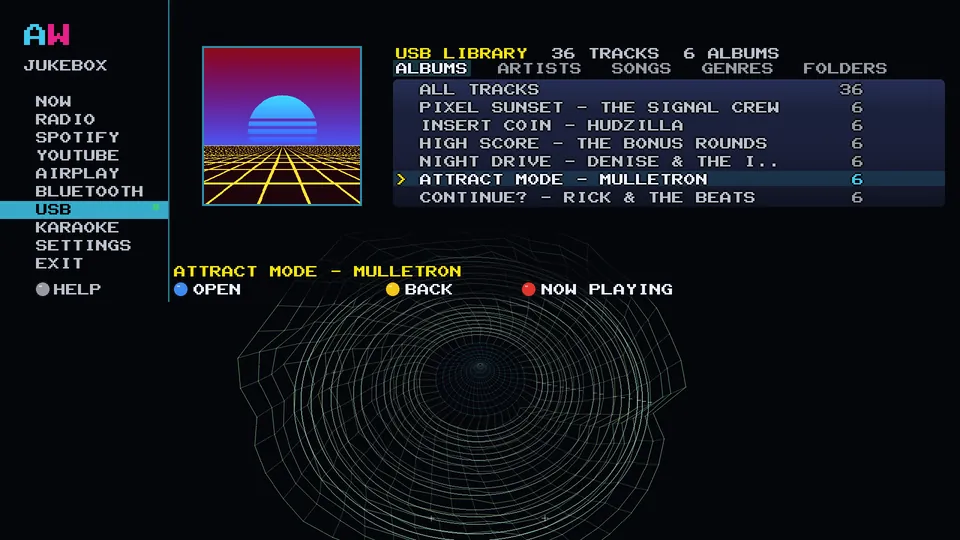
Play your own music from USB
Plug your own USB stick into the port inside the back of the cabinet. The jukebox plays FLAC, WAV, DSD, MP3 and more, sorted by album, artist, song, genre or folder, with the cover from your files on the big screen. No internet needed. We do not send a stick.
FREE, NO ACCOUNT
Internet radio: 243 stations in 17 genres
The Arcade WOW Jukebox plays 243 internet radio stations in 17 genres, free, with no account and nothing to sign in to. Push the stick to a genre, press a button and the cabinet is on air.
Most stations send the song that is playing right now, so the title and the cover art arrive on the screen as each track starts. Star your favourites and they get their own list.
MAKE IT YOURS
Colour themes and looks
The Arcade WOW Jukebox comes in seven colour themes, and the look can follow the album art: the colours shift to match each new cover, seamlessly, with the visualiser running underneath.
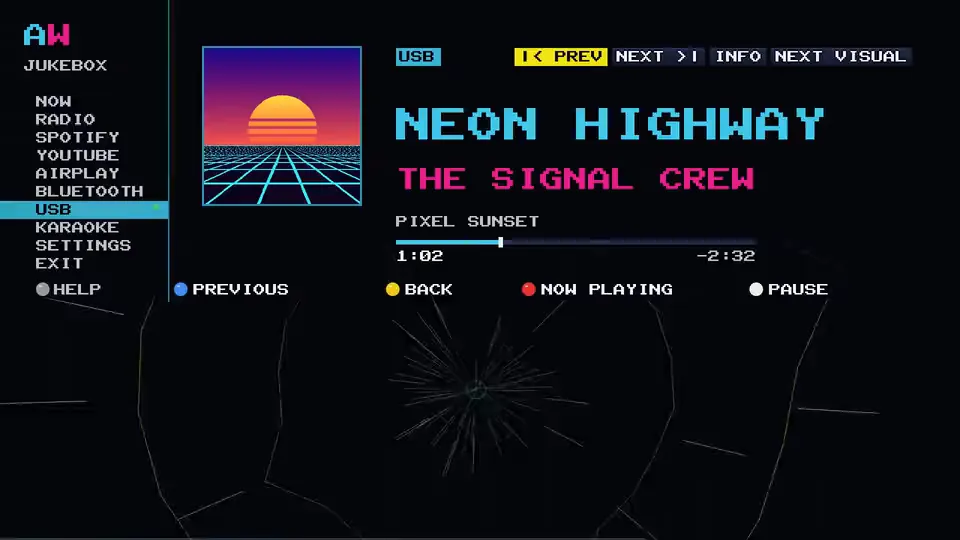
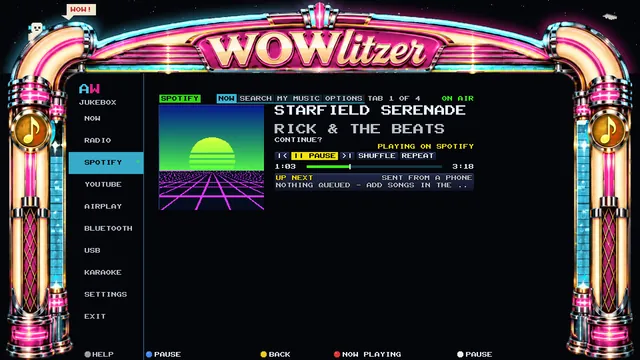
> THE LOOK SCREEN
Five LOOK styles, picked on the cabinet. PLAIN is the jukebox as it always looked. Prefer a classic jukebox? Switch on the WOWLITZER frame, with lights that run to the music:
- PLAIN: the jukebox as it always looked, no frame.
- PEEKABOO: the frame, the visualiser in a window, lights and the crew.
- LIGHT SHOW: everything on, party lights, the crew and a busy night sky.
- MINIMAL: just the frame.
- HUD ONLY: the frame filled with the song.
From the app you can change the cabinet's look from the sofa, or set it to match the artwork.
WE GAVE THE SUBWOOFER A PROPER JOB
One 10-band EQ for every source
On the Arcade WOW Jukebox, radio, Spotify, AirPlay, Bluetooth, YouTube, USB and karaoke all go through the same 10-band EQ, tuned with the joystick, plus or minus 12 dB. Five presets to start from: FLAT, BASS BOOST, ARCADE so chip music cuts through, VOCAL, and LATE NIGHT for when the house is asleep. The subwoofer keeps its own dial.
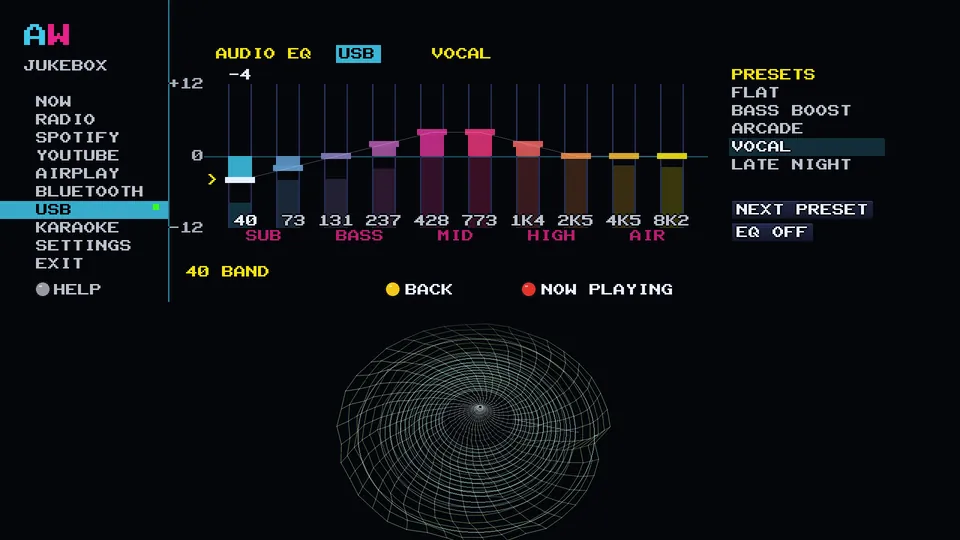
> TRY THE FADERS
Where JavaScript is running, the faders here are live: they reshape this page's own groove through the same ten filter designs the cabinet uses. Put a coin in and drag one.
> SLEEP TIMER
Set the sleep timer and, when it ends, the music fades out, pauses and the screen dims.
THE FREE APP
Your phone is the remote
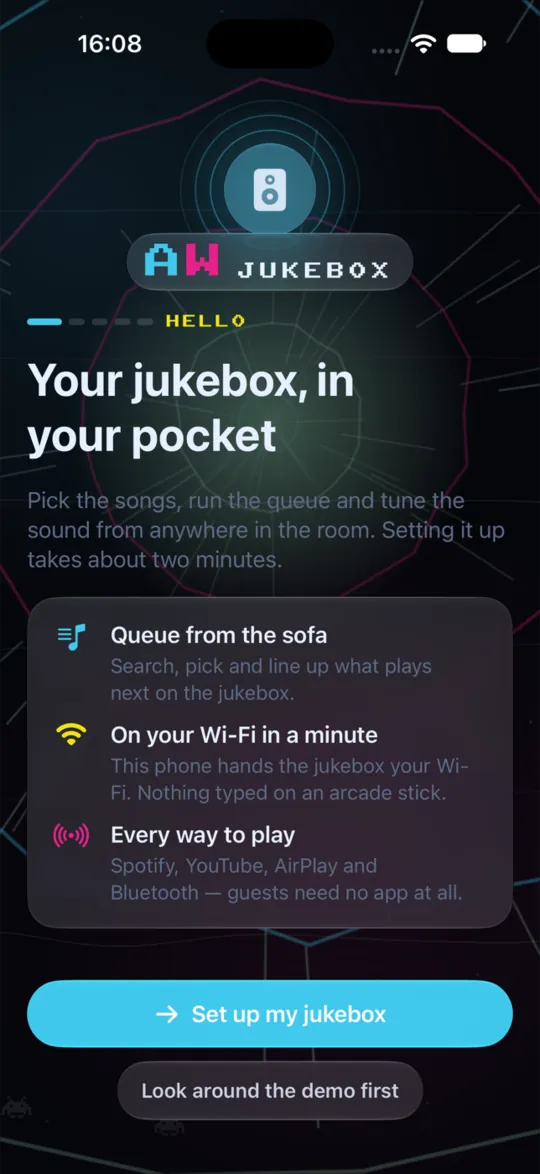
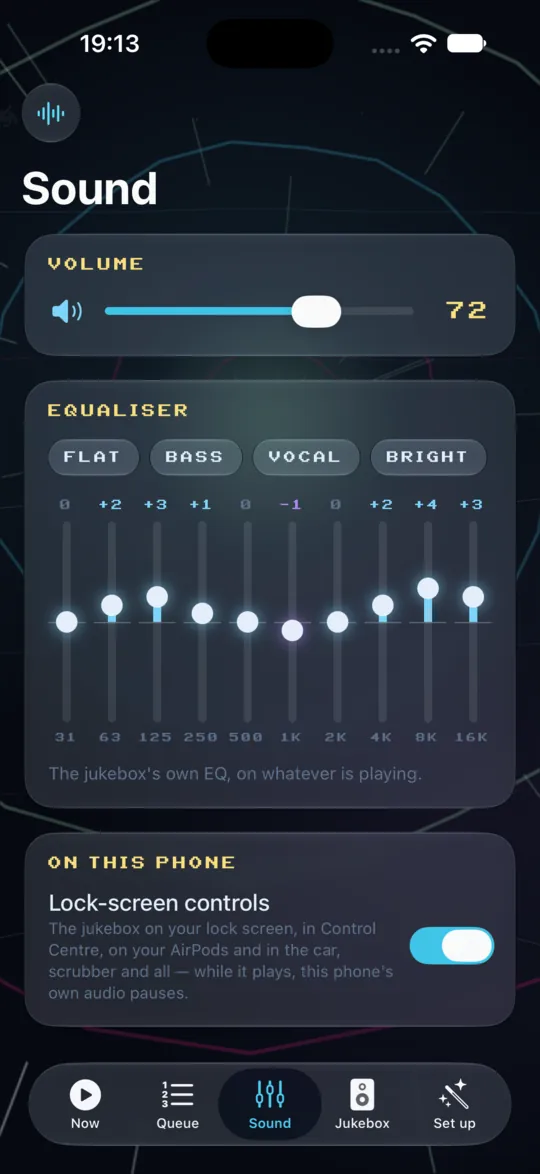
The free Arcade WOW Jukebox app (AWOW Jukebox) for iPhone, iPad, Apple Watch and Mac is coming soon to the App Store. You never need it: everything on this page works on the cabinet with the joystick. You will want it anyway.
COMING SOON TO THE APP STORE
> ON IPHONE
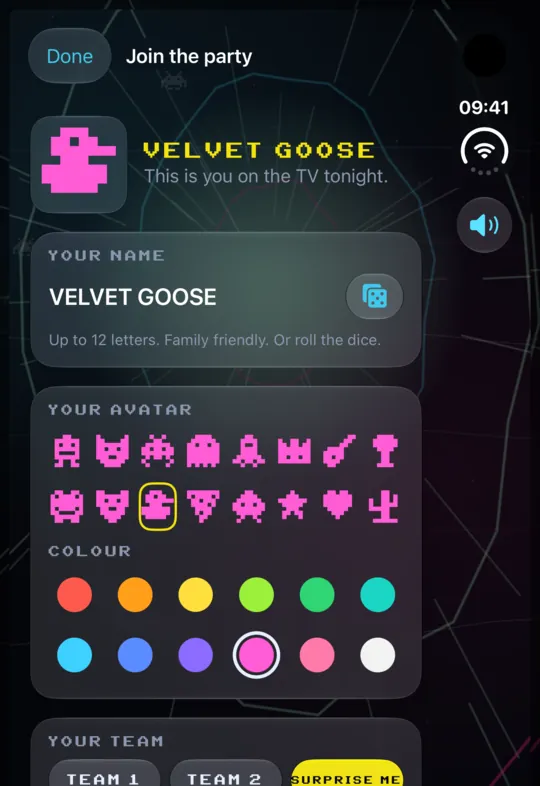
- Now Playing and the queue, from the sofa.
- Change the cabinet's look from the sofa, or match the artwork.
- Now playing on the Lock Screen and in the Dynamic Island.
- Home Screen widgets in small, medium and large.
- Siri and Shortcuts: play, pause, skip, what's playing, the volume, a radio station.
> ON APPLE WATCH
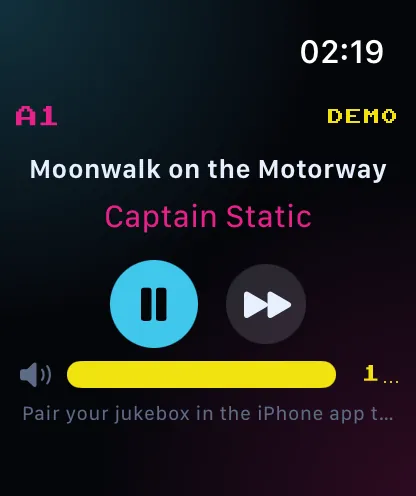
- What is playing, play and pause, skip, and the Digital Crown for the volume.
> ON IPAD
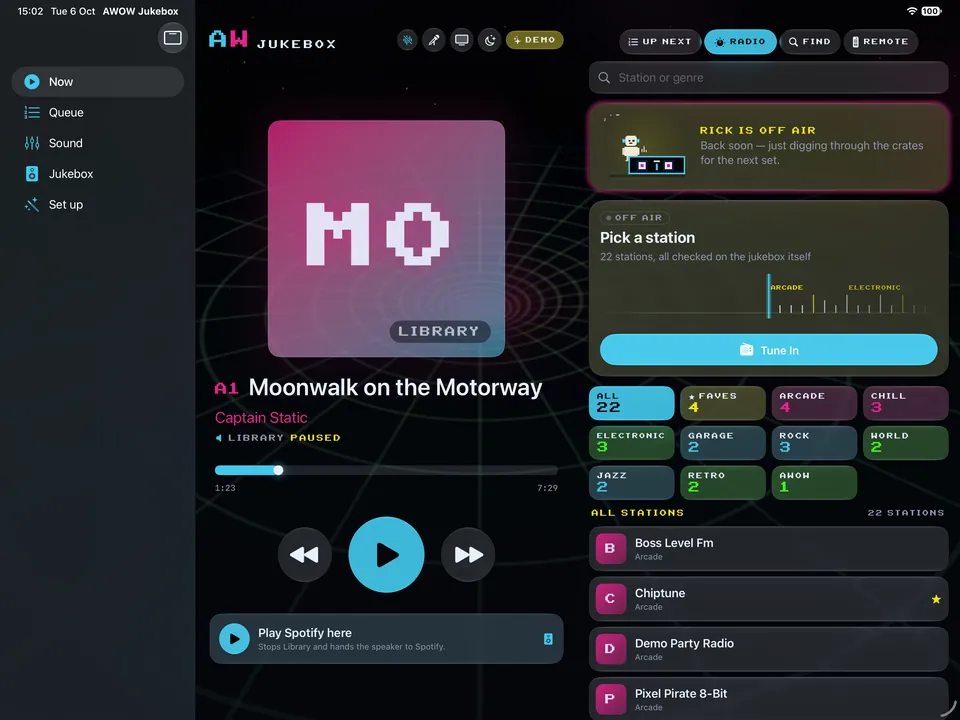
- The record deck beside the queue, with Radio, Search, YouTube and Speakers as side panels.
- The party board: a big join code for karaoke guests, and who is singing now and next.
- Big screen mode: a full-screen visualiser while it charges.
> ON THE FOLDING IPHONE
- Closed, the front screen is a pocket remote: the record, the song and the transport.
- Half open, then flat: the deck on one side, the queue on the other.
- Turn it upright and it becomes one wide column. Every way you hold it, the same controls.

> ON MAC
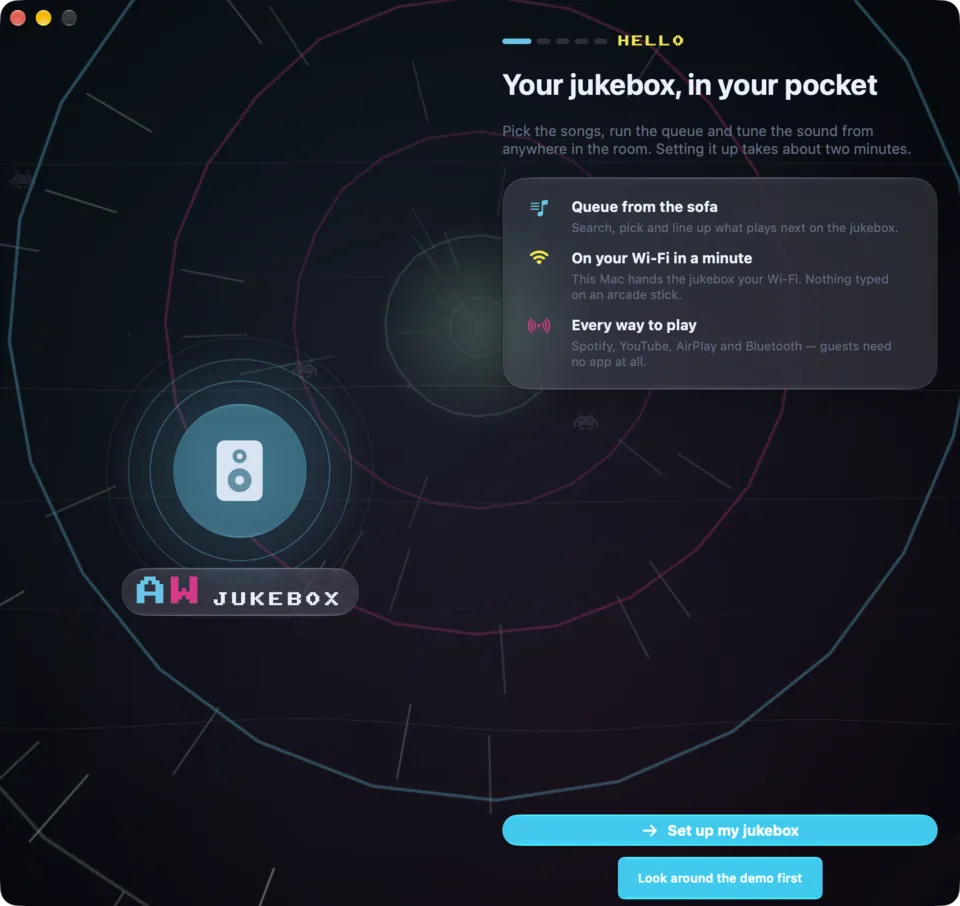
- The visualisers in their own window, full screen if you like, moving to the jukebox's music.
- A player in the menu bar, and the keyboard's play, next and previous keys drive the jukebox.
- Keyboard shortcuts, a Playback menu, and drag a song link in to queue it.
> ON IPAD AND MAC
ON YOUR WI-FI IN A MINUTE
Set up from your phone
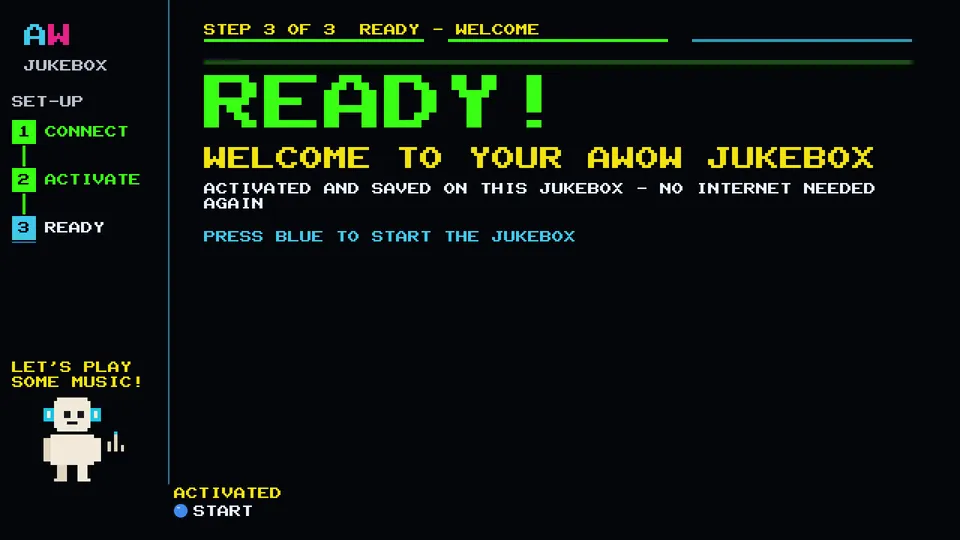
Put the Arcade WOW Jukebox on your Wi-Fi from the cabinet with the on-screen keyboard, or from your phone: scan the code on the screen and pick your network. Three steps on the screen, connect, activate and ready, and then it is music.
Stuck? The Arcade WOW Jukebox support page walks through it.

15,000+ GAMES · BRING THE ARCADE HOME
The arcade machine with a jukebox built in
The Arcade WOW Jukebox is made for ARCADE WOW arcade machines: a 24-inch Full HD screen, 120 W 2.1 sound with a subwoofer, and more than 15,000 games. See the machines, and ask us about adding the jukebox.
QUESTIONS
Arcade WOW Jukebox questions
Can my arcade machine play Spotify?
Yes. With the Arcade WOW Jukebox your ARCADE WOW arcade machine is a Spotify Connect speaker called AWOW Jukebox. Open Spotify on any phone, choose AWOW Jukebox as the speaker and the cabinet plays it. Nobody signs in on the cabinet.
How do guests join karaoke?
Start a party on the Arcade WOW Jukebox and a code appears on the TV. Guests scan it with their phone camera, type a name and they are in the queue. Their phone needs to be on the same Wi-Fi as the jukebox.
Do guests need an app?
No. Guests join in their phone's web browser by scanning the code on the TV. Nothing to install.
How many karaoke songs are there?
The Arcade WOW Jukebox has more than 1,400 hand-picked karaoke songs, with solos and duets. Family Mode hides explicit karaoke songs and videos.
What music files can it play from USB?
The Arcade WOW Jukebox plays FLAC, WAV, AIFF, ALAC, AAC, MP3, Ogg Vorbis, Opus, WavPack and DSD files from your own USB stick, with an album grid and the cover art on the big screen. The USB port is inside the back of the cabinet, and no stick is supplied.
Does it need the internet?
On the Arcade WOW Jukebox, internet radio, Spotify and YouTube need the cabinet to be on your Wi-Fi with an internet connection. Music from a USB stick and Bluetooth from a phone play without one. AirPlay works over your home Wi-Fi.
How many radio stations are there?
The Arcade WOW Jukebox has 243 internet radio stations in 17 genres, free, with no account. Most stations show the song title and cover art live as it plays.
Can I play music from my phone?
Yes, three ways: AirPlay from an iPhone, iPad or Mac (pick AWOW Jukebox in the AirPlay menu), Bluetooth from any phone (the owner opens a 60-second pairing window on the cabinet), or Spotify Connect from the Spotify app.
Is there an app?
Yes: the free Arcade WOW Jukebox app (AWOW Jukebox) for iPhone, iPad, Apple Watch and Mac is coming soon to the App Store. You do not need it: everything works on the cabinet with the joystick, and AirPlay, Bluetooth and Spotify Connect work from any phone.
How do I put it on my Wi-Fi?
From the cabinet with the on-screen keyboard, or from your phone: scan the code on the screen and pick your network.
Does it change my games?
No. The Arcade WOW Jukebox lives in your games menu as JUKEBOX, and your games and your menu stay exactly as they are.
Which arcade machines does it work on?
The Arcade WOW Jukebox is made for ARCADE WOW arcade machines. See the machines at arcadewow.co.uk, or ask us through the support page.
Something else? See support, or browse the Arcade WOW arcade machines.